In The Beginning…..

I started my career in my teens as an assistant to a very talented photographer in NYC.

We got along great, and honestly, spoke not that long ago.

One of the perks of the job was being able to use the studio and darkroom, which was so much better than the darkroom in my bedroom.

There was an exchange of service though. One of those was printing out 50 headshots of one of his actor friends.

They came out great, but he had a look, approved of the exposure, and print quality, but asked me about the spotting.

The what, now??

Yep, dust spots. I had to quickly learn how to spot a print. Basically painting in the white spots with an ink made for the fiber based photographic paper. He taught me though, which was just one of the many lessons I learned.

But 50 prints?

These bottles of spotting ink was the special sauce. Plus various very thin brushes. Oh, and a little spit.

You would mix a color match, as each bottle had a slightly different tone, in a dish, then wet the brush with your tongue, and get to coloring in the dust spot with a matching B&W tone. It was a delicate process, and a deft hand was needed.

Today I was in a gallery where this was happening, and I was immediately thrown back in time.

Now these inks are no longer made, and it seems that EBAY is the only place to find them.

When I came back home, I digitally did some “spotting” and of course it worked.

That trip down memory lane was a reminder of how analog my time in photography began.

Travel Gear Redux: Part 1

It’s just about at the season where we all starting hitting the road. Whether you are driving, flying, or planing the stay-cation, you need some goods to plus up the experience
Here is a round-up of a few things that may help you enjoy your trip just a little bit more. These are the inside goods, and more outside goods coming next!

Take advantage of the Amazon Prime Days!!

Twelve South Air Fly

Soundcore Translating Ear Pods

Anker Mag Safe battery, 10,000 mAh

Ulanzi MagSafe Phone Stand

Rolling Square Multi Tip charging cable

Rolling Square AirCard Pro

First up is one of my all time faves, the Twelve South Air Fly
When you are on the plane, might as well enjoy the carriers content wirelessly!
Seats are not getting any bigger, and not being tangled up in wires is the best!
Blue Tooth connect your headphones, and you are free as a bird.


You know, I will not use airpods on a plane, too easy to lose, and seat mates can hear the sound spill, so choose your over ear earphones with care.
Personal fave is the Sony.
But… last year Anker came out with a set in their SoundCore line for under $70, that has surprised me for its superb audio quality, and features. Highly recco!
And the AirFly can also be used in the car, as you can BT connect your phone, and hear your fave podcasts, or music lists.
I give these out as gifts, and they are the best!

One other new travel item just came in:
The Soundcore AeroFit 2   is not only a solid ear pods set, but most importantly for those traveling to another country, it has AI translation!  Highly rated on consumer reviews as swell

I am low key obsessed with these! Not only superior sound and 4 mics, and comfortable, it will allow you to translate up to 100 languages! They can speak in their language, you hear it translating in your ears, and then hit a speak button on the app, speak you language and the speaker on your phone will do the translation. I have used this with people who work in my building, and at a local Mexican restaurant  and confirm it works like crazy! Plus the case is magsafe so you can charge without wires.

Remember the Seinfeld episode where Elaine a was being trashed by the attendants in the nail salon in their language? Yeah, this could solve that little issue.

Now I’m looking to use this on the subway so I can understand those around me.

If you are flying, we have seen flight delays becoming a common occurrence.
You need to keep your phone charged, if for nothing else, to get notices about your flight.
The smallest best battery that is always with me is this mag safe Anker battery with a whopping 10K mAh on board to keep you going.


If you are needing to charge your laptop, I’d suggest a move up to this Anker power brick.


Yep, heavier no doubt, but is has all of the juice you’ll need to power up all your devices, while you wait to board. And TSA approved!

Another unit that is always in my bag is this Ulanzi Carabiner with mag safe. Folds, lets me do a hands free phone zoom call, or watch content while dining alone.

It folds flat, and then opens up to hold your phone so you can be hands free to do a zoom call, watch content, or just scroll while having the phone securely held.

One thing that is always in my bag is the Rolling Square Multi-Tip charging cable. Basically with this, I know I always have the right connection. There is a magnet at the tips so it always stays tight and never tangles.

We all have tracking tags in our bags, and when you want one in your wallet, without a bulge, or just need a slim tracker, this new Rolling Square AirCard Pro is a great call and super affordable. Not only is a nice, loud audible device, it is rechargeable, with each charge lasting up to 12 months. AirCard™ Pro comes with an ultra-flat wireless charging lithium 220mAh battery. When it runs out of power, simply place AirCard Pro on a wireless charger and wait around 1 hour and 30 minutes for it to be fully charged and ready to track your valuables again. it also has a QR code you can customize with your contact details and use as a digital business card, or just as a lost and found extra info if someone found your item.

Thin, rechargeable, works with Find My, and QR code for contact info. Yes, works great with iPhone or Android!

So there you have a few items that can make your travels a bit easier, and they all pack small and play big!

I have used them all and do just what they say they will.

For these lists I only tell you about items I have actually used, so trust in that. Of course you can always return items from any of the stores that are linked in the photos!


“One of These Days I Gotta Get Organizized” – Travis Bickle

It all started when I decided to put one of my Nikon lenses on the Fuji -X-H2. All I needed was the Fringer, my go-to adaptor,  that I knew I had.

It was somewhere. I knew it. But where?

I went through all of my Pelican Cases, camera bags, drawers, and more.

Sure, I could ask St. Christopher, as I just wanted to find it.

Finally, I found it under some cables, in a Nikon centric Pelican case. Whew!

It set me on a path.

In my mind there are 3 main ways to store your gear for access. As photographers/videographers, we pick up lots of bits of kit along the way, knowing it will be a right tool at the right time. Now, where to put it all??

So, the big re-org began!

First stop : camera bags (I don’t think I’m alone here when I say I have a lot of camera bags. Or just enough!), and hard shell cases.

Airplane sized hard shell cases got the brand treatment.

Nikon for one, and Fuji for another. Main gear used most often went into those. Yes, those are TrekPak divides to keep the gear sorted within the case

Then lens cases: by using older camera bags, I was able to put the lenses used now and again into those.

Yes, a tag listing contents helps. one for each bag. I start with one main list of gear included in each bag and a date. Trust me, it’ll save you time/

Then the rarely used lenses got put into a larger hard-shell case and put away into the closet. A contents tag helps when I need to sort through those.

Action cameras, including batteries per unit, chargers, and mounts were put into another bag.

These bags also got smaller bags within with each model put into those. That way, when the need arose to use an action cam, one bag could be accessed, and then brand/model chosen.

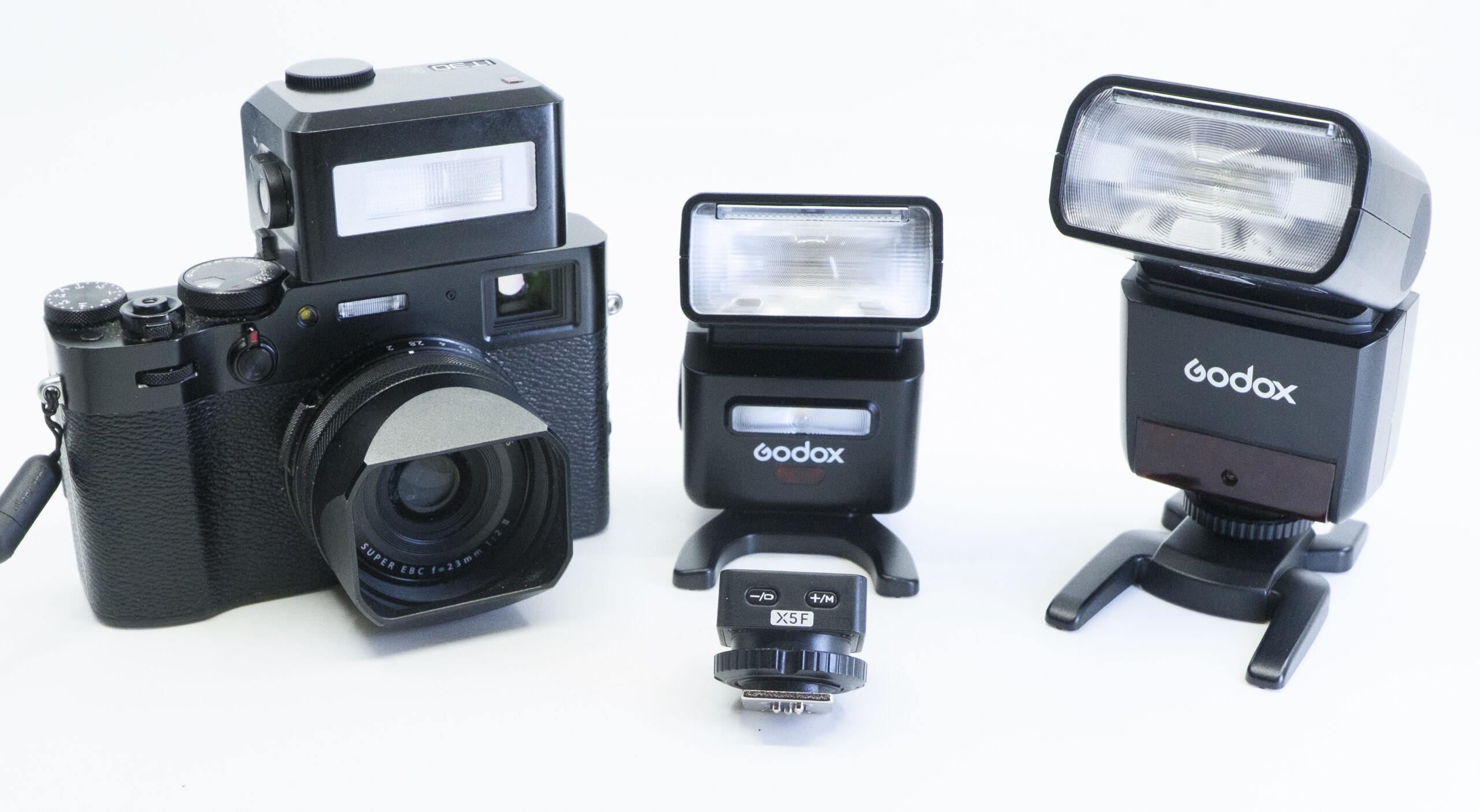
One bag is dedicated to speedlights: 3 units, batteries, reflector, chargers, triggers.

My Godox AD300’s and AD200 are packed into a larger hardshell, with folding soft boxes, as they are mainly used for a studio lighting type of set-up, so a traveling situation. Hardshell protects the lights/

Light stands and larger soft boxes are kept in zippered long cases.

Tripods, and monopods get their own zippered case.

OK, that utilizes the extra bags you know you have.

BTW, one of my favorite video lights for  studio interviews is the Lowell Rifa using an LED insert, and all that comes in its own case, complete with stands.

There are 2 main Nanlites LED panels I use for video, that have their own custom case.

Then we get into plastic drawer bins: Each bin gets a label, and then you make sure you keep up to date keeping the current needs, and divesting of the things you never use again. C’mon we all have those!

These are perfect to extra straps, chargers, mounting tools, and in a larger bin grip gear (clamps, clothespins, etc.) Even intl converters and chargers get their own bin.

These are usually stackable and the drawer design makes the bits accessible.

The extra for this organizational tool is a label maker,

and tie tags. Labels for the drawer bins, and tags, seen above for the bags and cases.

A new addition to my organizational tools have been the camera cubes by Peak Design.

These cubes come with dividers that can be custom set for your gear.

For instance, I have dedicated one medium cube to microphones only. This keeps each set in its place; make sure you keep all your connecting cables and fuzzy cats in the cube.

Another small cube stashes all of the content creation tools: Osmo Pocket 3, phone mounts, stands, extra batteries, extra media cards, and a card reader.

My third cube, large, is kept available to load with assignment gear: 2 camera bodies, 2 lenses, batteries, Black rapid 2 cam harness.


And huge advantage with the Peak Design cubes is that they fit into their latest backpacks. More on that in the next post. There are 2 new ones, and customizable for your specific needs. PLUS each cube comes with loops and the excellent PD securing C-Clips to secure into your backpack, or if you are so inclined, to simply attach a strap to use as your main cam case.

Before I walk out the door, the proper cubes are chosen and secured into the backpacks. Access is easy. Using the camera cubes is a perfect way to sort out what you pack, depending on assignment, or travel.

Their new travel line-up has a dedicated 20L backpack, and another with a piggyback backpack. In the second one you can pack gear AND clothes, or just gear. When I say piggyback, I mean you can zip one backpack onto the larger one, or keep as one large deal.

Is there a big bag of cables? C’mon- Who doesn’t have one of these?

However, I have discovered a cable organizing case that keeps my most current cables, and spares.

I also have a big unused small duffle bag, filled with extension cords, strip hubs, etc, kept in a closet for the odd time I need to connect an old piece of tech.

As in never.

Before I do a post on what I put into camera bags for assignments and walkabouts, this should hopefully get you on a path to knowing where your stuff is.

Like the Fringer I finally located.

Small note: any of your gear that has batteries- either just take them out if they are alkaline, and store near the gear, and if they use rechargeable batts remember to charge every 3 months.

These power supplies are good, but they don’t keep a full charge for ever.

Part of your gear maintenance.


Hollyland Intros A New Wireless HandHeld Mic System

Doing a podcast usually ties me to a studio, with all of the wires connecting the headset, the mixer and of course, the mics.

To be honest, it is usually just me, and each piece of gear has been selected to give me the maximum quality audio.

Hollyland has just introduced the Melo P1, available on kickstarter, and I now feel comfortable taking my podcast to the great outdoors!

OK, maybe just on my roof.

Here is a full walkthrough of the set-up with demo sound near the end:

At first glance, this case holding all the components, and is so well designed, holding everything I need.

Here is what comes in the combo set:

*Handheld mic

*Mixer (connecting to the app)

*Bluetooth earbuds

*A remote control

*A sleek internal holder for the USB-C cables

*The case is also the charger.

When I opened the case for the first time (after a full charge) the light on all of the elements told me they were charged and linked

As the mic is handheld, I added a mic stand, and to be fair, a branded mic flag.

When you have the mixer, you get total control of the sound quality through the app.

I basically set the sound I wanted, via the ear buds, and went into my video recorder of choice. On the phone, it’s the BlackMagic Camera app.

Setting the recording to 32-bit float, I was assured “no clipping”

The podcast could be all audio, although now video has been added by using the camera app.

Yes, for 4K Pro Res, I added a 2TB SSD to the situation. (shown here)

I love my portable tiny mics for fast set-up interviews, like the MS2, but for a well-mixed higher end output, the handheld mic mixed properly, was the key.

OK, wireless, and you also have the option to plug the mixer into your phone or computer. Simple.

But what if I wanted to add a person?

I used the receiver from the MS2 kit and plugged it into the mixer, and lo and behold, the mics connected could now have a multi person podcast! All illustrated in the video above.

I could have the another person use one of the ear pods and keep the output on mono.

Yes, I have tried the other portable podcasting units, like the Zoom Podcaster. Unfortunately, the BT option on that unit is not reliable, and I still have wired attached with the mics and headsets.

There is one thing I have not solved yet and that is add my opening music, which is on a touchpad on my studio mixer.

I’m sure that is a feature I just haven’t figured out yet.

I know this set up was designed with mainly the musician in mind, but I don’t sing nor play an instrument.

As soon as I saw this package, I knew how to use it.

Especially with the nice weather upon us. Time to venture out from the home studio!

Bonus is being able to travel with this rig, and get great sound on location, in a small package.

It does come with some extras like a hand strap for the case, a rubber cover for the bottom of the mic (you can’t charge with it on, but it looks cleaner), a jack to plug in a guitar or other pluggable instrument to the mixer.

Overall, it did take a minute to install necessary firmware updates, and sort out the added mic situation, but it all came together.

The case is so well laid out, that it one of the sweet features of this rig: Solid protection, charging, and each piece fits perfectly in the slots.

Sony 7R VI- A Hands On First Look

Sony Introduced their latest camera with a hands-on event at an Upper East side mansion. The 7R VI


You can click this link to see all the specs

The event was complete with multiple shooting opportunities. Sets with models, and even places to get your own portrait done, although I can never understand that part of these events.

We were given a drink ticket, a poncho for the possible rain later, and some cookies.

OK, the most important part was being able to put your own SD card into the camera with a variety of shooting scenarios and lenses.

To be fair, the images you see here are just from the jpgs, as the RAW files cannot be processed by LR. Yet.

That’s the way it goes when you get a hands-on chance with yet to be available cameras.

My first take was the size and weight.

So much lighter than I thought it would be with a Full Frame stacked sensor with 66.8 MP

The grip was a bit chunkier that I thought it would be, but with the lenses I used, it was a perfect balance.

The photos here are straight out of camera, no color or image adjustment , and only this first set up has a crop, so you can see the quality of the image.

In this set, the 50mm f/1.2 was the lens mounted for shooting.

A compact, super-fast lens, that felt very comfortable in my hands.

It was set for an eye detection for the AF, not my usuals go to, but worked here.

Lots of refection, and as you would imagine a sold lighting scheme

Then I went to the top floor where we had ballet. Men and women.

With the 50-150mm f/2.0 it was the right zoom length for the room.

Here it is at 85mm, f2.0

here it is at 150MM f/2.0

I wanted to check out the 100-400 mm. and even at 400mm f/ 4.5 it performed well.

As a Fuji user, I was curious how the infamous Sony AF would perform.

For the most part it was on point, although the % of misses were higher than I thought it would be. The shallow DOF could have been to blame.

The most surprising part of the lens was although very long, the balance in the hand, and the weight were very viable.

Even handheld, the % of sharp images was impressive.

TBH, though the size of the Fuji 100-400 was more to my liking.

Overall, a good event to actually use the camera and lenses.

I’m looking forward to seeing the RAW images I captured simultaneously on my SD card.

The availability is June, and the price for the body alone is about $4500.00 

Of course until the actual release date that could shift.